Game Over Font: Where Playful Design Meets Professional Flexibility
If you've ever scrolled through design marketplaces searching for a font that feels like confetti, laughter, and birthday cake all at once—you’ve probably landed on Game over. Not the “you lost” kind of game over—but the joyful, bold, colorful declaration that says, “This design is about to get unforgettable.”
More Than Just a Cute Font—It’s a Creative Catalyst
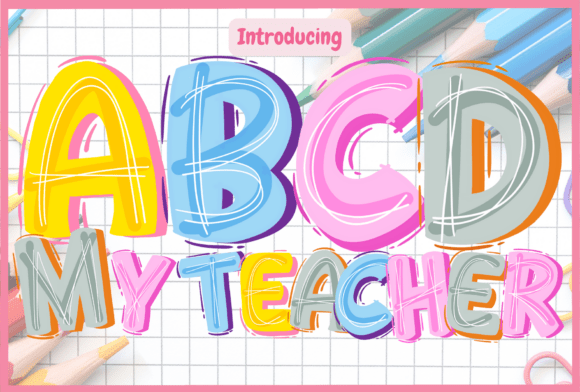
Game over isn’t just decorative. It’s expressive, intentional, and built for impact. Its rounded shapes, bouncy proportions, and hand-drawn charm make it instantly warm and approachable—perfect for projects where personality matters more than polish.
Think about it: You’re designing a kids’ book cover. A bakery’s summer promo poster. A friend’s 30th birthday T-shirt. A handmade greeting card for a new baby. In each case, tone is everything—and Game over delivers friendliness without sacrificing clarity or visual strength.
Unlike many playful fonts that blur into background noise at small sizes or lose charm in print, Game over holds its own across formats. Its generous x-height and open counters ensure readability even at 18pt on a mug or 48pt on a banner. And because it’s designed with rhythm and spacing in mind—not just whimsy—it works beautifully in both short bursts (“YAY!”) and longer phrases (“Let’s celebrate your big win!”).
Color Font Power: Why SVG Matters
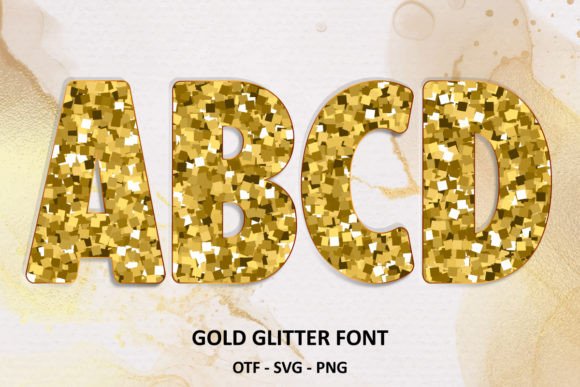
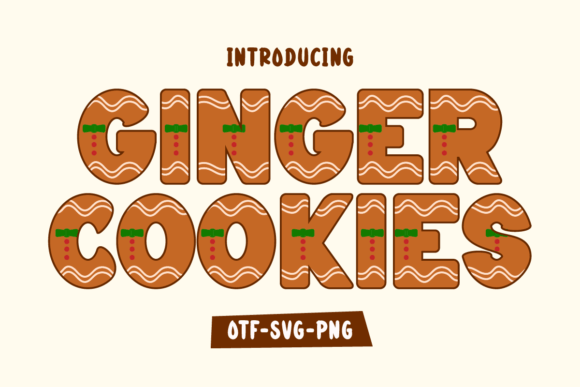
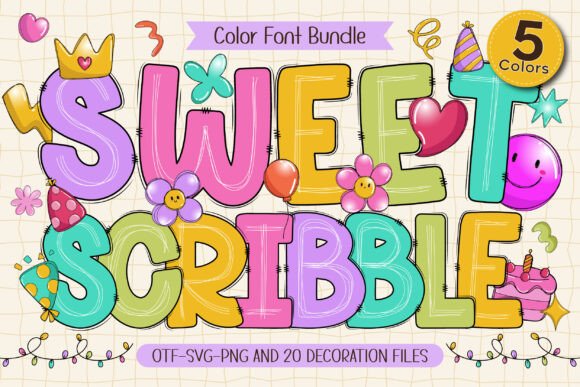
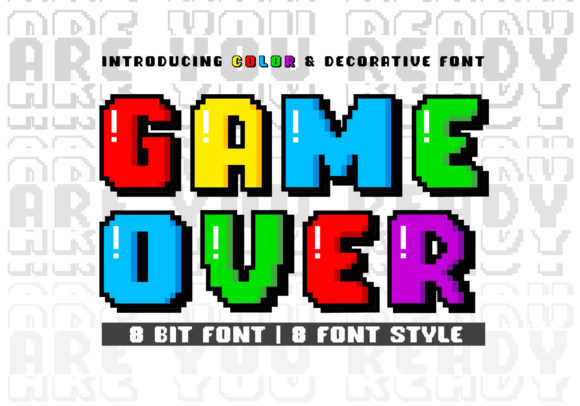
Here’s where Game over truly stands out: it’s a color font—specifically an OpenType-SVG (OTF-SVG) file. That means every glyph comes pre-colored, layered, and ready to drop into your project with zero extra work.
No need to manually add shadows, gradients, or outlines. No tedious layering in Photoshop to mimic dimension. The colors are baked in—vibrant, consistent, and fully editable in compatible apps. Want to tweak the blue in the “o”? Adjust the yellow highlight on the “G”? You can—right inside Illustrator or Photoshop, using native color tools.
This isn’t just convenience—it’s creative control. Designers using Game over report cutting layout time in half when building social media graphics or merch mockups. One indie stationery maker told us she went from spending 20 minutes coloring each letter by hand to dragging and dropping full-color text in under two clicks.
What Works (and What Doesn’t)
Game over shines in Adobe Creative Cloud apps (Photoshop CC 2017+, Illustrator CC 2018+), Silhouette Studio Business Edition (v5.0+), and Inkscape (v1.1+). All support OpenType-SVG natively—so glyphs render exactly as intended, with full color fidelity and ligature access.
- ✅ Works smoothly: Layered text effects, multi-color letters, animated exports (via After Effects + Adobe Fonts), vector scaling without pixelation
- ⚠️ Limited support: Cricut Design Space does not recognize OTF-SVG files. If you're cutting vinyl or iron-on with a Cricut machine, stick to traditional outlines—or convert manually using Illustrator’s “Create Outlines” + “Unite” workflow (more on that below)
- ❌ Not compatible: Standard OTF/TTF versions of this font are included for fallback only—they contain no color data and lack ligatures. Don’t expect SVG magic from them.
Pro tip: Always double-check your software version before purchasing. Some older installs may require a quick update to unlock full SVG functionality.
PUA Encoding: Your Shortcut to Hidden Goodies
“PUA encoded” sounds technical—but it’s actually one of the most user-friendly features of Game over. PUA stands for Private Use Area, a section of the Unicode map reserved for custom symbols. In plain English? It means every alternate glyph, swash, heart dot, star burst, and smiley ligature lives at a predictable keyboard location—no special panels or plugins needed.
Press “G” → get the standard G. Hold down the Alt key and type 0171 (or use your app’s glyph panel) → get the G with confetti swirl. Type “oo” together → trigger the connected “oo” ligature with a bouncing tail. These aren’t Easter eggs—they’re built-in tools, accessible with muscle memory.
Designers who use Game over regularly tell us they stop thinking about “how to make it cute” and start focusing on “what story does this line need to tell?” That shift—from decoration to intention—is where real efficiency happens.
Ideas That Spark Joy (and Clicks)
You don’t need a branding agency to get great results from Game over. Here’s how real people are using it—today:
- Small-batch apparel: A mom-run Etsy shop uses Game over for toddler onesies (“Nap Time = Game Over… For Now!”). Sales jumped 34% after switching from generic rounded sans to this font—the difference was instant perceived warmth and shareability.
- Digital planners: Productivity designers embed Game over in habit trackers and mood journals. Its cheerfulness softens the rigidity of grids and checkboxes—making self-care feel lighter, not laborious.
- Instagram carousels: Coaches and educators use it for quote slides (“You didn’t fail—you leveled up”). The color contrast grabs attention mid-scroll; the friendliness boosts saves and shares.
- Print-on-demand books: Indie authors choose Game over for chapter headers and illustrated glossaries. Its visual consistency helps young readers track structure without distraction.
Smart Pairings & Practical Tips
While Game over is bold enough to stand alone, it plays well with others. Try pairing it with:
- A clean, neutral sans-serif (like Inter or Montserrat) for body text—lets the font shine without competing.
- A subtle handwritten script (with low contrast and open spacing) for subheadings—adds texture without clutter.
- Minimalist geometric icons (think line art or flat vectors) to echo its playful energy without overwhelming.
Avoid pairing it with overly ornate serifs or distressed display fonts—those create visual noise rather than harmony.
And one final note on licensing: Game over is typically licensed for both personal and commercial use—including selling physical products (T-shirts, mugs, prints) and digital assets (Canva templates, Procreate brushes). Always verify the license terms with your vendor, but most reputable sellers include clear usage rights.
Getting Started Without the Headache
Before diving in, ask yourself:
- What’s my primary tool? (Photoshop? ✔️ Cricut? ❌ — plan accordingly)
- Do I need full-color glyphs—or is outline-only acceptable for this project?
- Will this be used in motion (video, GIFs, web animations)? SVG fonts export cleanly to After Effects via Adobe Fonts or manual import.
- Am I sharing files with collaborators? Make sure they have compatible software—or provide flattened PNGs with transparent backgrounds for handoff.
Still unsure? Start small. Drop Game over into a single Instagram story. Test a birthday card mockup. See how it changes the emotional temperature of your layout. You’ll know within seconds whether it’s the right fit.
Because at its core, Game over isn’t about rules or rendering engines. It’s about making people smile before they even read the words. And in a world saturated with sameness—that’s not just design. That’s connection.